Multi-Screen Video & Audio Synchronization.
Centralized Venue Broadcasting Studio with Live PA Voice Ducking & Matrix Volume Control.
Designed for restaurants, hotels, clubs, retail showrooms, educational institutes, and entertainment venues. Synchronize unlimited TV screens over your local network with zero latency, live microphone announcements, and unattended kiosk watchdog reliability.
0.0 ms
Perceived Audio Sync Lag
Unlimited
Client Displays Supported
100%
Local LAN • Zero Cloud Fees
 LAN Sync Active
VideoSync Studio Console
Live ConnectedEnterprise venue digital signage & synchronized video server platform.
Built for Modern Entertainment Venues
A comprehensive digital broadcasting studio engineered to operate completely offline over your local Wi-Fi or wired network.
Sub-Millisecond LAN Sync
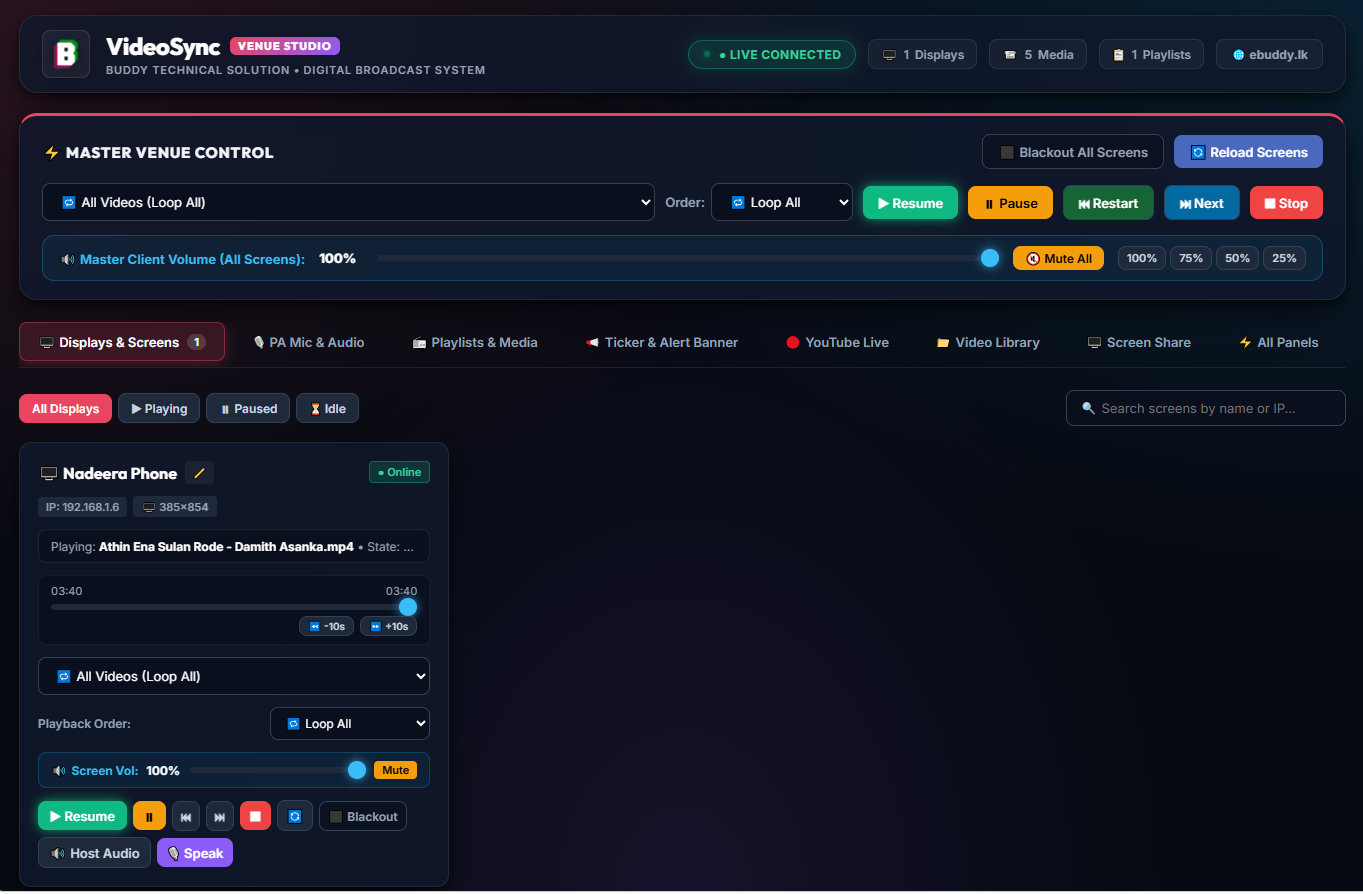
Broadcast high-definition video and audio to dozens of TV screens, video walls, and smart monitors across your venue simultaneously. Every display stays locked in frame-perfect synchronization using ultra-low latency WebSockets. Play, pause, seek, or loop effortlessly from a single master control bar.
Live PA Microphone & Ducking
Broadcast crystal-clear voice announcements directly from the host PC or a smartphone microphone to venue speakers. Features intelligent audio ducking: when you start speaking, background video music smoothly fades down (to 15%, 5%, or mute), and automatically fades back up when you finish!
Multi-Zone Volume Routing
Full matrix control over venue sound levels. Adjust master volume across all screens with one master slider, or customize volume per zone (e.g. 85% at the bar, 40% in the dining room, 0% in hallways). Plus, use the Server Speakers Loopback feature so the host PC doubles as a venue audio player!
YouTube Streaming & Downloader
Stream YouTube live cricket matches, events, or video clips directly to all venue screens with one click. Alternatively, use the built-in yt-dlp downloader to save online videos directly into your local library in pristine 1080p Full HD for 100% ad-free, buffer-free offline playback!
Ultra-Low Latency Screen Share
Broadcast presentations, DJ visuals, live camera feeds, sports streams, or specific software windows directly from the Server PC to all venue TVs using native WebRTC peer technology. Streams high frame rate visuals with full system audio support and zero configuration.
Unattended Kiosk & Watchdog
Client PCs boot directly into dedicated full-screen Kiosk mode without requiring Windows login or password entry. Automatically disables sleep, screensavers, and power-off modes. Features a background watchdog daemon that automatically relaunches the client within 3 seconds if closed!
Test Venue Multi-Screen Control Live
Experience how VideoSync Studio controls synchronized video playback, live PA microphone ducking, and multi-zone sound across multiple TV displays right in your browser!
Live PA Microphone & Ducking Simulator
Auto-Ducking: 15%Click below to simulate speaking. Background video audio will instantly fade down to 15% and live voice broadcast chime will play!
Live Crawling Ticker Banner Editor
Real-Time PushEnter a promotional offer or venue announcement to crawl across the bottom of all displays:
VideoSync Studio Console Showcase
Take a visual tour of the web console, multi-zone volume matrix, live PA microphone console, and YouTube engine.
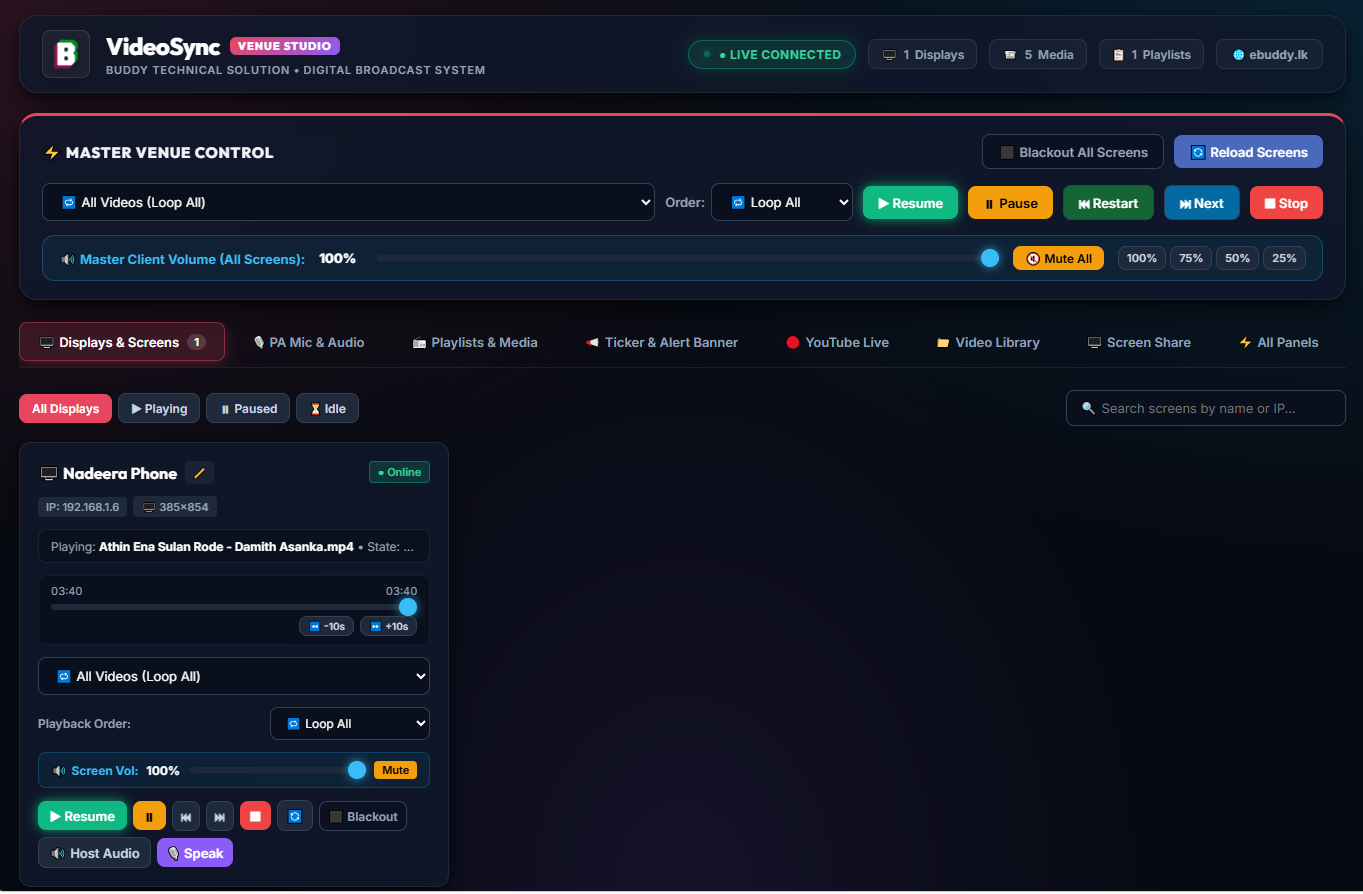
Venue Broadcast Console
Master video player, synchronized seek, and active client cards.
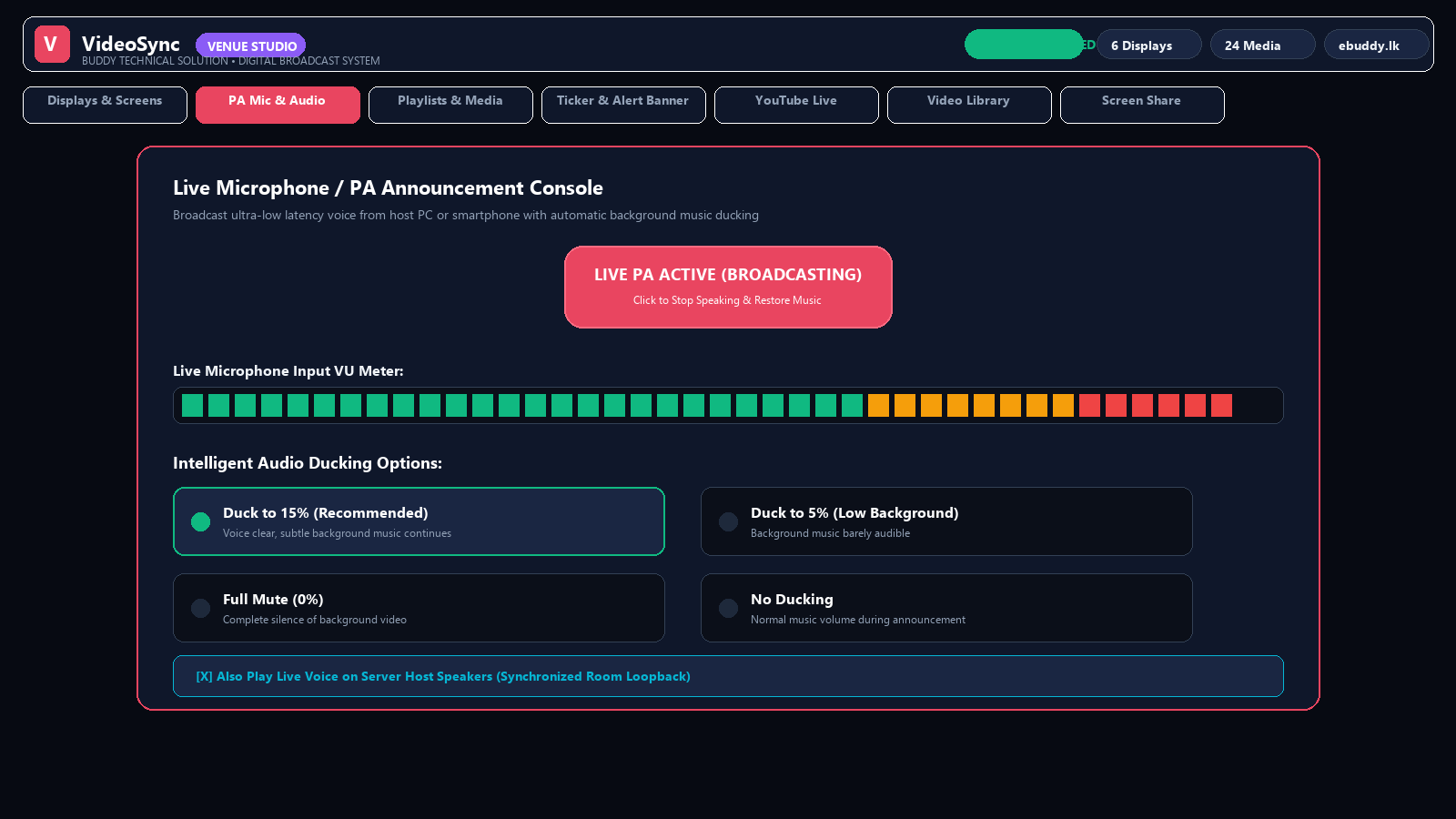
Live PA Microphone & Ducking
Broadcast voice announcements with auto music ducking and live VU meter.
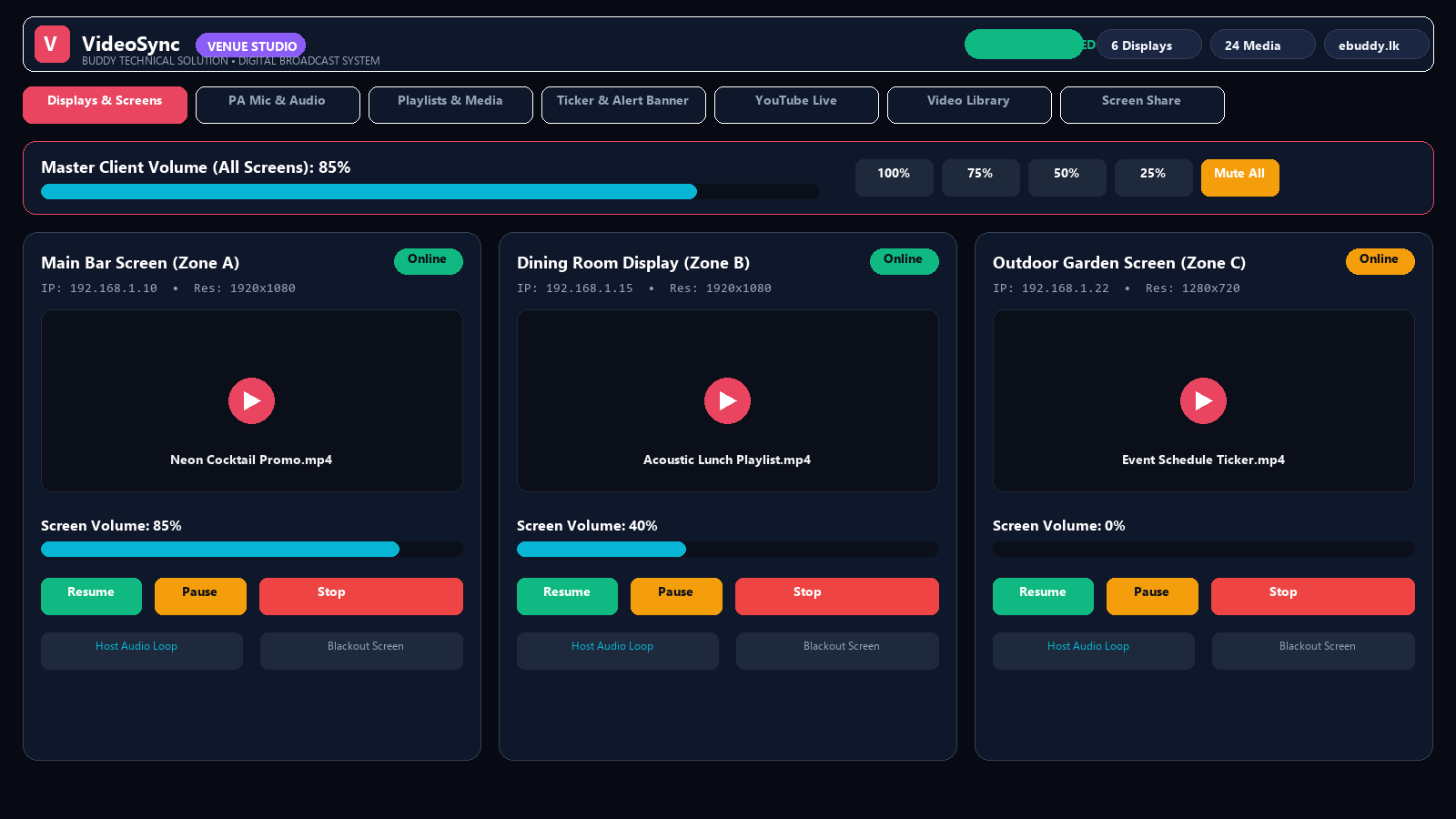
Multi-Zone Volume Matrix
Independent volume sliders and host audio loopback for every zone.
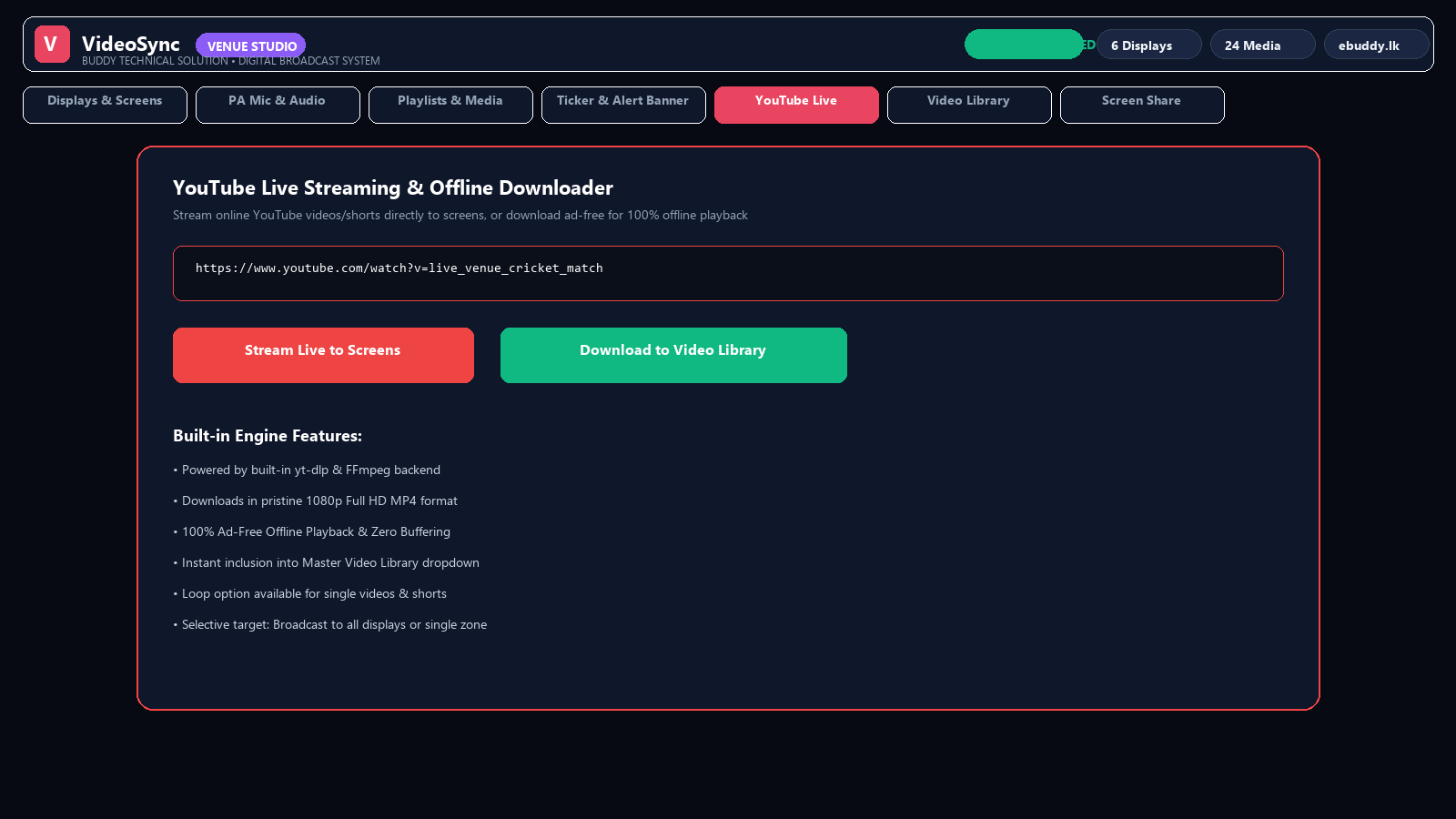
YouTube Live & Downloader
Stream live online matches or download ad-free 1080p offline videos.
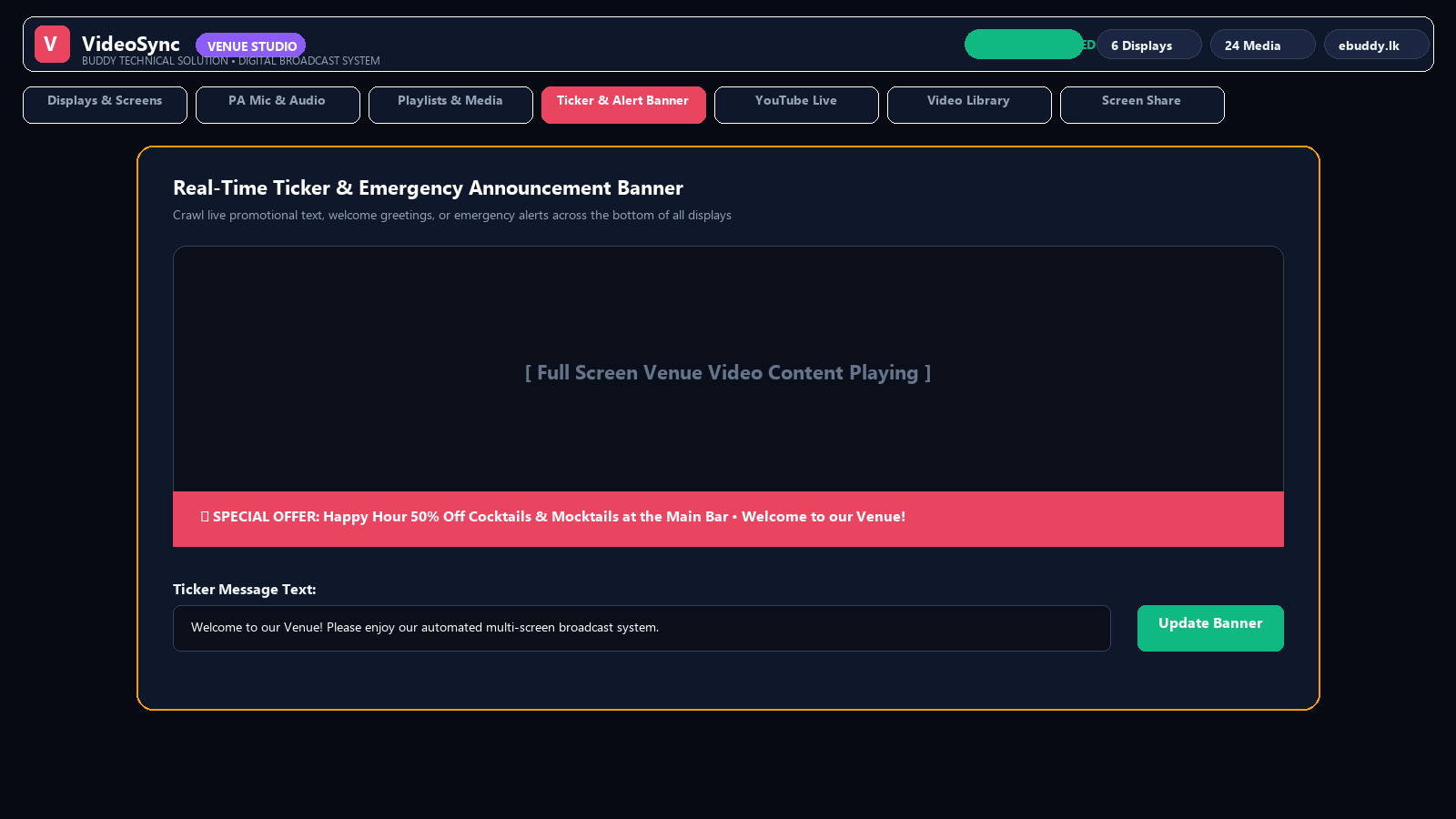
Live Ticker & Alert Banner
Crawl real-time offers and emergency alerts across all venue TVs.
Official Product Architecture
Engineered and provided by Buddy Technical Solution (ebuddy.lk).
Hardware & Network Requirements
Operates on affordable hardware, thin clients (e.g. HP t430), mini PCs, and standard gigabit or Wi-Fi routers.
Server PC Requirements
| Operating System | Windows 11 / Windows 10 (64-bit) |
| Processor (CPU) | Intel Core i3 / i5 or AMD Ryzen (Quad-Core recommended) |
| Memory (RAM) | 4 GB Minimum (8 GB recommended for 4K video libraries) |
| Storage | SSD recommended for instant video seek & playback |
| Network Port | Port 3000 (Configured automatically in Firewall) |
| Supported Formats | MP4, WebM, MKV, AVI, MOV, YouTube Live Streams |
Client Display Devices
| Client Hardware | HP t430 Thin Clients, Mini PCs, Intel NUC, PC Sticks, Android TV |
| Client OS | Windows 10 / 11, Linux, or any modern web browser |
| Kiosk Auto-Boot | Included (Auto-login • Zero touch boot) |
| Watchdog Engine | Included (Relaunches client in 3s on crash) |
| Network Connection | Wired Ethernet (Cat6) or 5 GHz Wi-Fi Router |
| License & Cost | 100% Free Freeware • Zero Monthly Cloud Subscriptions |
VideoSync Studio vs. Cloud Signage Providers
Why venue operators switch from expensive recurring cloud services to VideoSync Studio.
| Feature & Metric | VideoSync Studio | Cloud Signage (Screenly, BrightSign, etc.) |
|---|---|---|
| Monthly Subscription | $0 Free Forever | $20 – $50 per screen / month |
| Internet Outage Behavior | 100% Unaffected (Runs over local LAN) | Stops updating or buffers |
| Live PA Microphone with Auto Ducking | Built-In (Host PC / Phone) | Not Available / Requires separate PA |
| Multi-Zone Independent Volume | Built-In Matrix Sliders | Limited hardware support |
| Unattended Client Kiosk Watchdog | Auto-starts • 3s crash recovery | Requires proprietary player hardware |
Download VideoSync Studio
Get the official Server Setup and Client Kiosk installers. 100% free freeware provided by Buddy Technical Solution.
VideoSync Server Setup
Install on the central host PC. Includes web broadcast console, WebSocket synchronization server, yt-dlp downloader engine, PA microphone streamer, and desktop shortcuts.
VideoSync Client Kiosk Setup
Install on thin clients, mini PCs, or display computers connected to TVs. Automatically configures full-screen kiosk mode, bypasses audio autoplay restrictions, and enables 3s crash watchdog.
Quick 4-Step Venue Setup Guide
VideoSync_Server_Setup.zip on the host PC. Click "Start VideoSync Server".http://localhost:3000/admin.html and upload your MP4 videos or paste YouTube URLs.VideoSync_Client_Setup.exe on client PCs connected to your TVs. Enter Server IP.Frequently Asked Questions
Common questions regarding VideoSync Studio network setup, kiosk displays, and audio ducking.