Smart School Bell & Assembly Automation.
Zero-Touch School Schedule, Morning Video & PA Broadcast Automation.
Engineered for Sri Lankan schools. Completely eliminates manual bell-ringing mistakes with 100% standalone offline reliability, Buddha Gatha routines, and smartphone Wi-Fi remote control.
100%
Free of Charge
0.0s
Timing Precision
24/7
Power-Cut Resilient
 100% Standalone Offline
Live System Status
ActiveMonitoring automated school timetable. Synchronized to local RTC clock.
Engineered for Sri Lankan Schools
Every feature needed for rock-solid daily operations, cultural morning assembly routines, and teacher convenience.
Automated Period Timetable
Pre-configured for standard 8-period school routines (07:30 AM to 01:30 PM). Rhythmic Single, Double (Interval), and Triple (Dismissal) chime signals.
- Exam Mode & Special Timetables
- Auto-starts on Windows boot
- Vacation & Holiday calendar locks
Morning Assembly & Buddha Gatha
Plays morning videos, religious hymns (Buddha Gatha / prayers), and national anthem automatically before academic periods commence.
- Pre-bell & post-bell delay timers
- Supports custom MP3 and WAV files
- Smooth audio fade-in and volume leveler
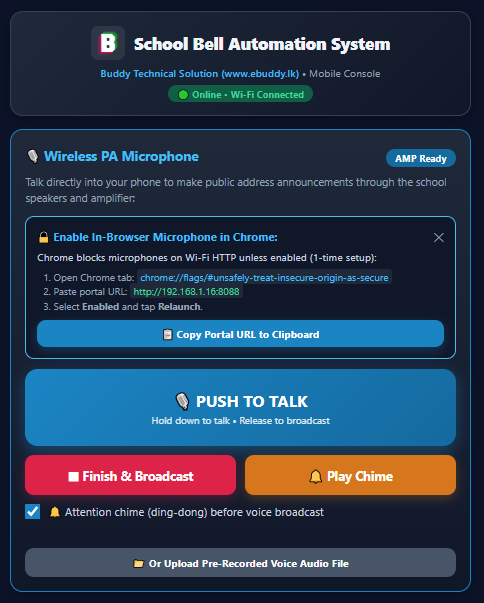
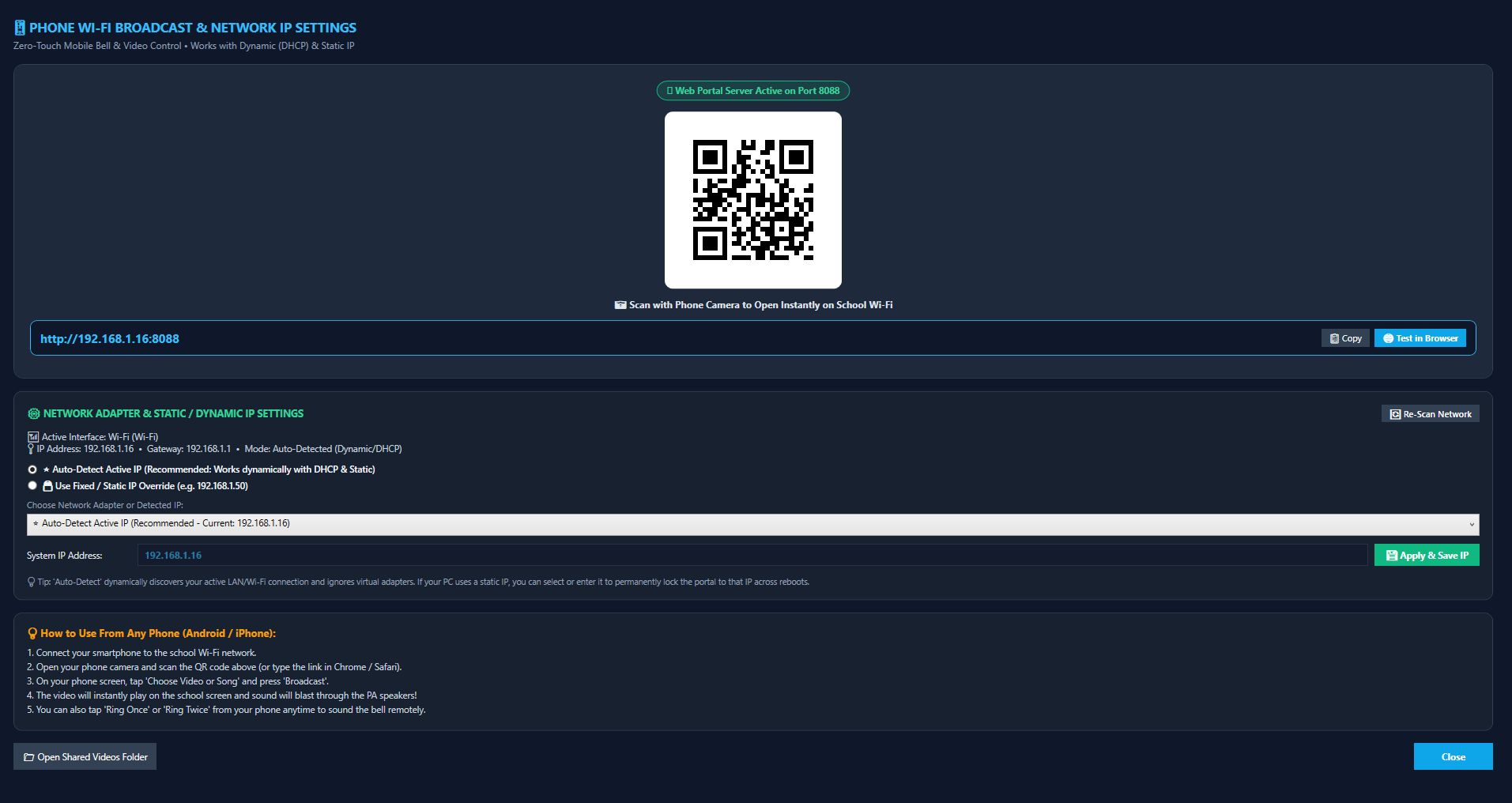
Wireless Mobile Web Portal
Built-in local web server lets principals and sectional heads trigger bells or emergency evacuations right from their smartphones over school Wi-Fi.
- Zero app installation — runs in browser
- Works 100% offline without internet
- On-screen QR code for instant phone connect
Power-Cut Auto Recovery
In Sri Lanka, power cuts happen. When generator or CEB grid power returns and the PC boots up, the software launches and resumes timetable effortlessly.
- Windows startup service registry hook
- Zero human keyboard touch required
- Diagnostic event audit logs
Custom Chime & Audio Manager
Comes with our default rich acoustic Bell1.wav chime pre-loaded. Customize chime durations, ring repetitions, and preview sounds in real time.
- Default Bell1.wav high-fidelity audio
- Custom folder support for WAV and MP3
- Integrated audio test player
PA Horn & Relay Bell Switching
Connect straight to standard school public address (PA) amplifiers via 3.5mm line-out, or control physical 230V mechanical gong bells via USB relay modules.
- Supports 100V line horn speakers
- USB / COM relay hardware trigger
- PA amplifier wake-up pause delay
Experience the Schedule Simulator
Test the school timetable sequence in real time. Click any period to trigger its chime, or launch a fast 5x simulation of a complete school day!
High-Fidelity Bell Chimes
Click the buttons below to preview crystal-clear school bell chimes synthesized directly in your browser using the exact acoustic model of our default Bell1.wav chime!
Bell 1 (Rich Chime)
Standard single strike chime. Indicates period transitions.
Double Strike Bell
Two rhythmic strikes. Default indicator for Interval / Recess.
Triple Strike Bell
Three strikes. Signifies the End of the School Day (01:30 PM).
Morning Assembly Chime
Glockenspiel melody played before morning assembly video/audio songs.
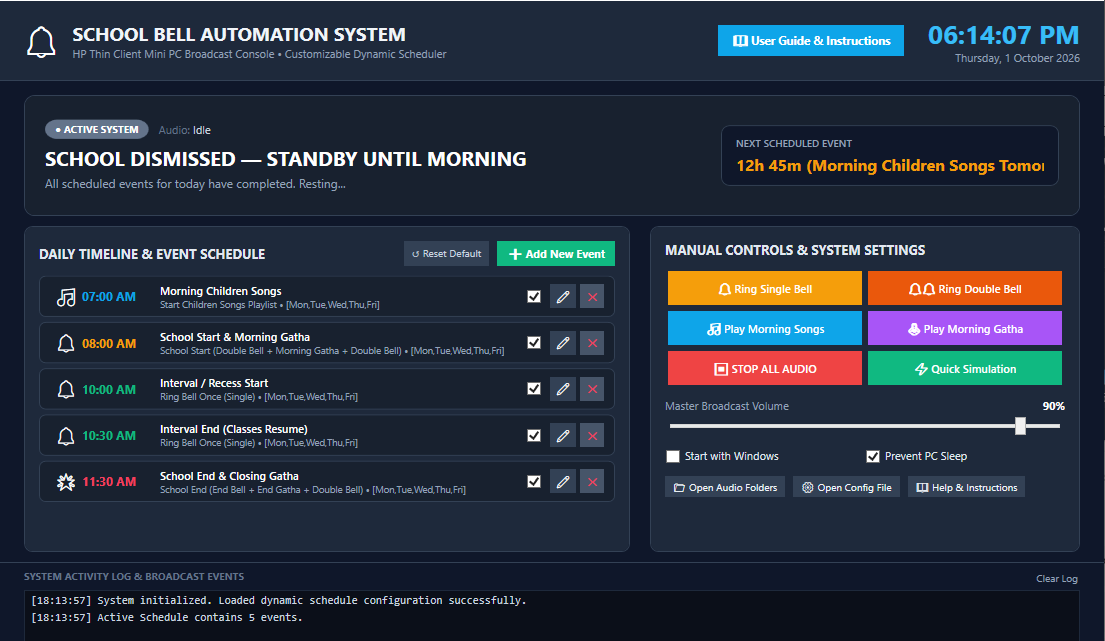
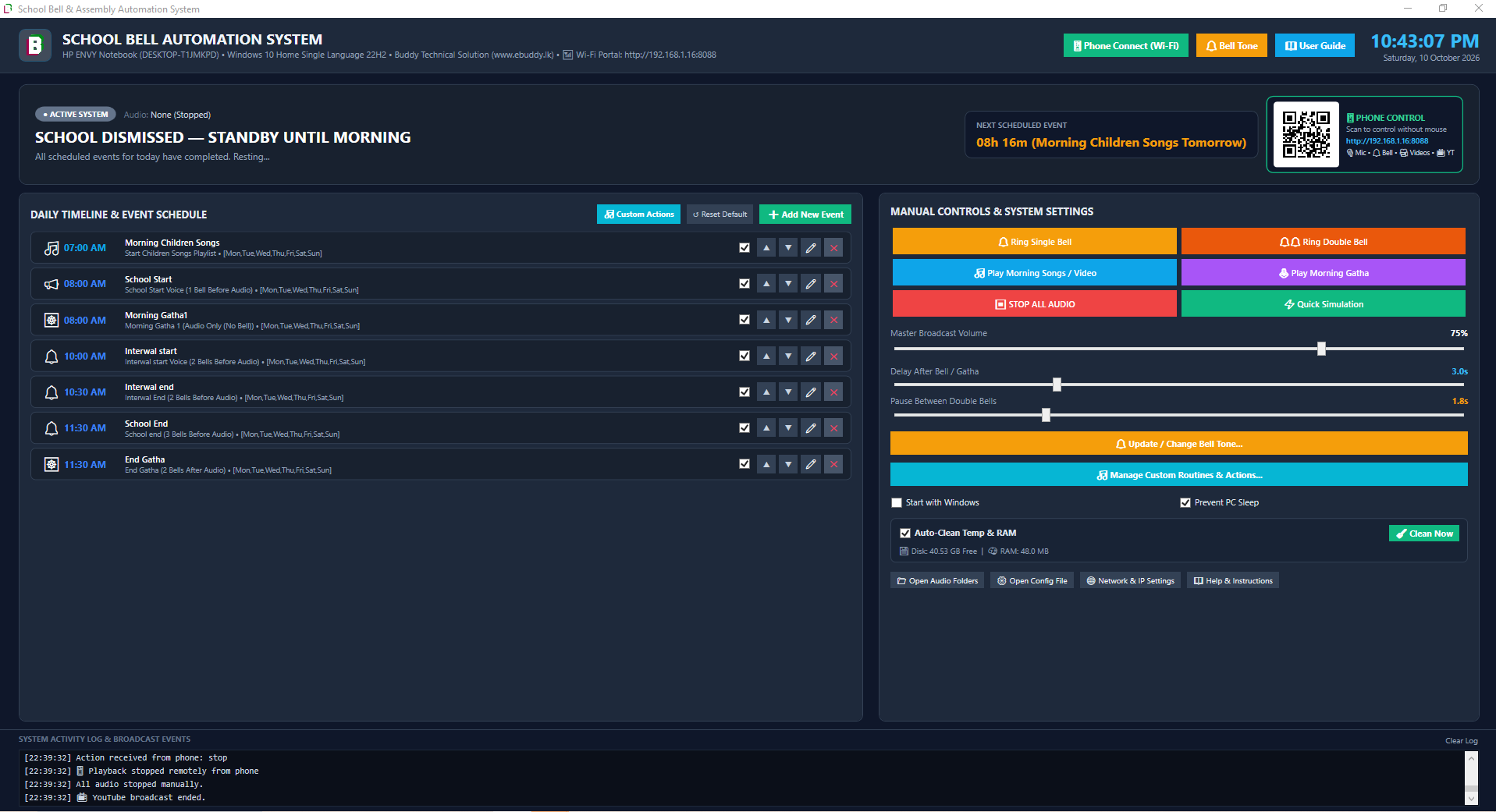
Application Screenshot Showcase
Click any screenshot to view full-resolution previews of the operational desktop system running in schools.
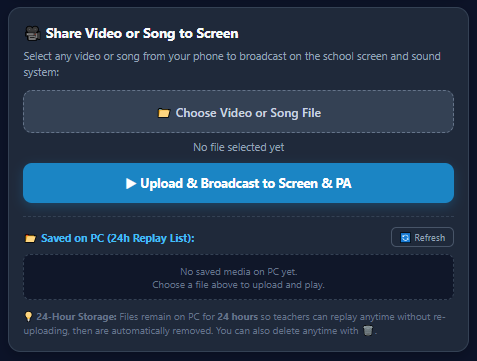
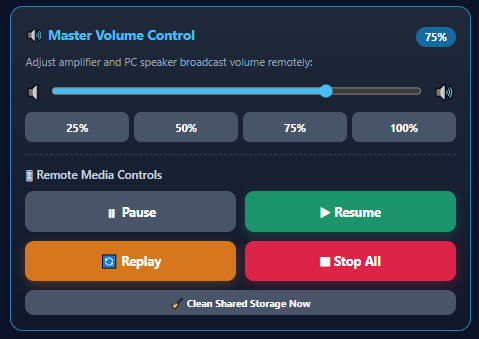
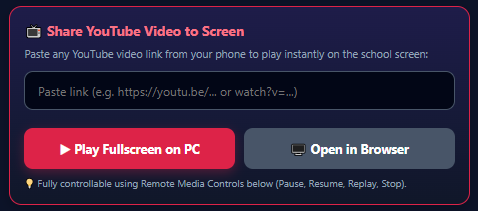
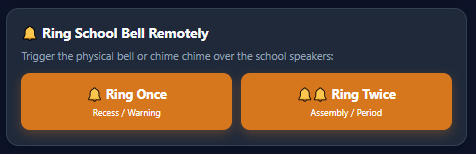
Zero-Maintenance Hardware Setup
Pair with an ultra-compact, fanless HP mini-PC and standard school public address (PA) amplifier for an unbreakable 24/7 bell station.
Recommended Hardware Specs
| Host Computer | HP t430 Thin Client / Intel Mini-PC (15W, fanless, silent) |
| Operating System | Windows 10 / 11 Pro or IoT Enterprise (32-bit & 64-bit) |
| Audio Output | 3.5mm Stereo Aux Line-Out → Standard PA Amplifier Line-In |
| PA Speakers | Standard 100V line horn speakers installed across school premises |
| Local Connectivity | Ethernet or Local Wi-Fi (for Teacher Mobile Remote access) |
| Power Backup | 650VA Mini UPS (Maintains RTC clock during generator switchover) |
System Connection Architecture
Dedicated Mini-PC (C:\SchoolBellSystem)
Maintains millisecond-accurate RTC time & automatic daily schedulesAudio Line-Out & Optional Relay
Transmits Bell1.wav chimes and morning songs directly to PA amplifierSchool PA Amplifier & Horn Speakers
Clear, authoritative broadcast across classrooms, halls, and groundsMobile Web Portal (Teachers' Phones)
Staff trigger manual bells or emergency evacuation alerts via Wi-FiDownload Free Setup Installer
No subscriptions. No registration. No hidden activation locks. Buddy Technical Solution provides this software free of charge to empower all educational institutions across Sri Lanka.
School Bell System v1.0
Official Windows Setup • 8.3 MB
3-Minute Quick Start Guide
Download the Installer
Click the download button to save SchoolBell_Setup_BuddyTechnical Solution.exe (8.3 MB).
Run Setup Wizard
Open the installer and click Next. It cleanly sets up in C:\SchoolBellSystem with audio samples, start menu shortcuts, and auto-startup configurator.
Connect to PA & Ring!
Connect the PC 3.5mm headphone jack to your school amplifier. The system comes pre-configured with the standard Sri Lankan timetable — ready to ring immediately!
Need Setup or Wiring Guidance?
Our engineering team provides free advice on amplifier wiring and horn speaker layout.Frequently Asked Questions
Everything you need to know about setting up and running the automated school bell system.
Audio\MorningSongs folder. You can add any MP3 or WAV file for your school's specific religious hymns, Buddha Gatha, or announcements with configurable post-bell delay timings.